Connect Meeting Room Schedule with Microsoft MFA enabled meeting room

How to Connect a Meeting Room with MFA Enabled to Meeting Room Schedule Managing room calendars securely is a top priority for modern organizations. Enforcing Multi-Factor Authentication (MFA) on your Microsoft 365 resource accounts prevents unauthorized access and secures your corporate data. However, standard password authentication often fails on wall-mounted tablets and display apps when … Read more

Password protected Kiosk Mode

Prevent misuse and disable the touch display with Kiosk Mode. A password is required to modify the app’s style, admin settings, or connection settings. The Menu bar is accessible after long press on logo or double tap on logo. Set Kiosk password Launch the Meeting Room Schedule app, navigate to Settings > Admin settings, then … Read more

Choosing the correct registration email for Meeting Room Schedule

To unlock the full functionality of Meeting room Schedule, such as configuring your custom calendars, activating software licenses, and managing device networks, you must first complete the application registration process. A common point of confusion during initial deployment is determining which email address to enter under the Registration details. While it may be tempting to … Read more

How to manually adjust screen size and layout settings

Our Android application is engineered to deliver an optimal visual experience across a diverse range of hardware, from compact handheld devices to large-scale, dedicated meeting room tablets. To streamline deployment, the application features an automated detection system designed to analyze your hardware's display metrics and instantly apply the most appropriate layout configuration. However, given the … Read more

How to connect Meeting Room Schedule in a Exchange Hybrid environment?

You can connect to your Microsoft 365 (formerly known as 0365)/Microsoft Exchange resource calendar using multiple options. The Meeting Room Schedule allows you to connect to a calendar associated with a user account as well. This entry shows how to connect to a resource directly. The direct method to connect to a resource to Microsoft … Read more

Efficiency and Accessibility: Displaying Google Appointment Scheduler on Digital Signage

When the Time is Tight and the Hands are Full… Check the Schedule at a Glance Introduction: Efficient appointment scheduling has become essential for businesses across various industries. The Google Appointment Scheduler provides a solution for managing appointments. With the ability to embed on a website, Google Appointment Scheduler offers a convenient and customizable platform … Read more
Google work profile calendar connection - overview

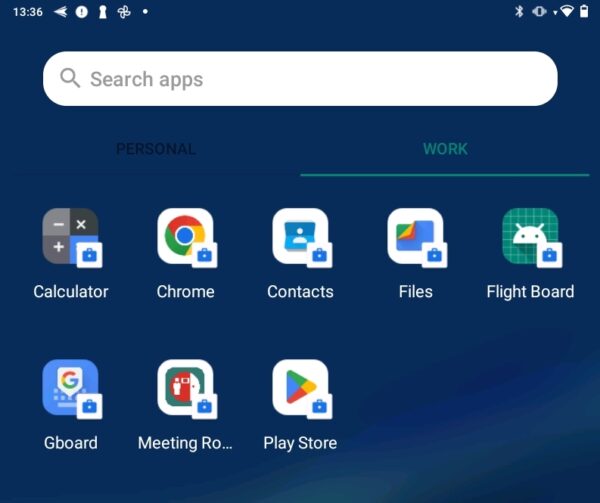
Google Work Profile – Google Calendar Meeting Room Connection

Some customers choose to utilize work profiles within their Google Workspace environment. This creates separation between personal apps and those who are provided by the administrator. The user has two app spaces to switch between. This looked like an enterprise setup on first sight but we came across small companies who do this as well. Administrators … Read more

Situations you wished you had a Meeting Room Schedule Display from us.

Digital door signs for meeting rooms are often perceived as luxury room amenities. The benefits and associated savings are intangible to many companies. Hence this blog post – we want to illustrate the added value of digital displays in front of meeting rooms with everyday examples. Situation 1: Colleagues are looking for a room together …

Read more